


転送方法 Spotify to Deezer Easily: Complete Guide
Many listeners who originally used Spotify may later decide to move their music libraries to Deezer for its unique features, such as high-quality audio, personalized recommendations, and compatibility with many smart devices. However, the biggest concern when switching platforms is how to move playlists without rebuilding them manually. Recreating playlists song by song can take hours, particularly if you have hundreds of tracks.
Fortunately, several tools now allow users to move playlists automatically from Spotify to Deezer, saving time and ensuring your favorite music remains organized. In this guide, we will explore the most effective ways to migrate Spotify playlists to Deezer and answer some frequently asked questions to help you complete the process smoothly.
コンテンツガイド パート 1. 転送 Spotify Deezer Online へのプレイリストパート 2. 転送 Spotify Playlists to Deezer on Winダウズ/マックパート3。よくある質問パート4:結論
パート 1. 転送 Spotify Deezer Online へのプレイリスト
One of the easiest ways to move playlists Spotify to Deezer is by using an online playlist transfer service. These tools work directly in your browser and require no installation. They connect to your music accounts and automatically recreate playlists on the new platform.
A widely used online tool for this task is TuneMyMusic. TuneMyMusic is a browser-based music migration tool designed to help users transfer playlists between different streaming services. It supports many popular platforms and provides a simple workflow for moving Spotify playlists to Deezer.
他社とのちがい
- Works directly in a web browser
- Supports multiple music streaming services
- Simple step-by-step interface
- いいえソフトウェアのインストールは必要ありません
- Allows playlist links or account import
Because of its simplicity, TuneMyMusic is often recommended for users who want to transfer playlists from Spotify to Deezer quickly without installing additional applications.
ステップバイステップガイド
ステップ 1: Go to the TuneMyMusic website and click the “Let’s Start” button to begin the playlist transfer process.
ステップ 2: 選択する Spotify as the source platform. You will be prompted to log in to your Spotify account and grant permission for the tool to access your playlists. Once authorized, the service will display your available playlists.
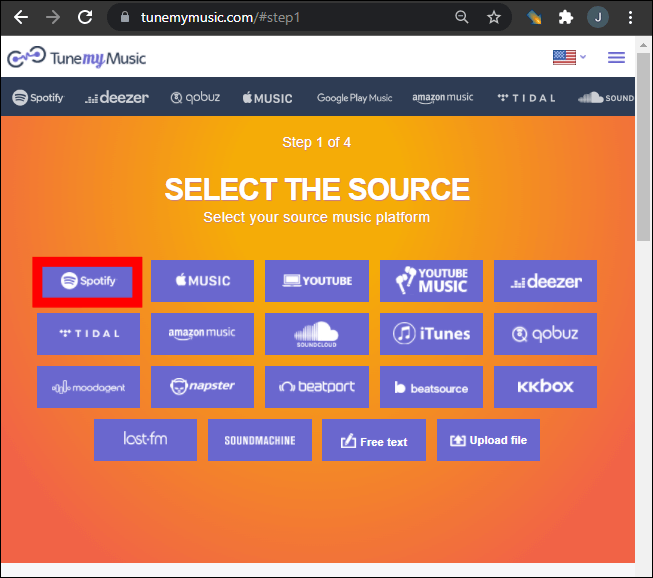
ステップ 3: You can choose a specific playlist from your library or paste a playlist link. TuneMyMusic will automatically load all songs contained in that playlist.
ステップ 4: Next, select Deezer as the destination platform. Sign in to your Deezer account and allow the tool to create playlists in your library.
ステップ 5: Click “Start Moving My Music.” The system will begin matching songs between Spotify とディーザー。
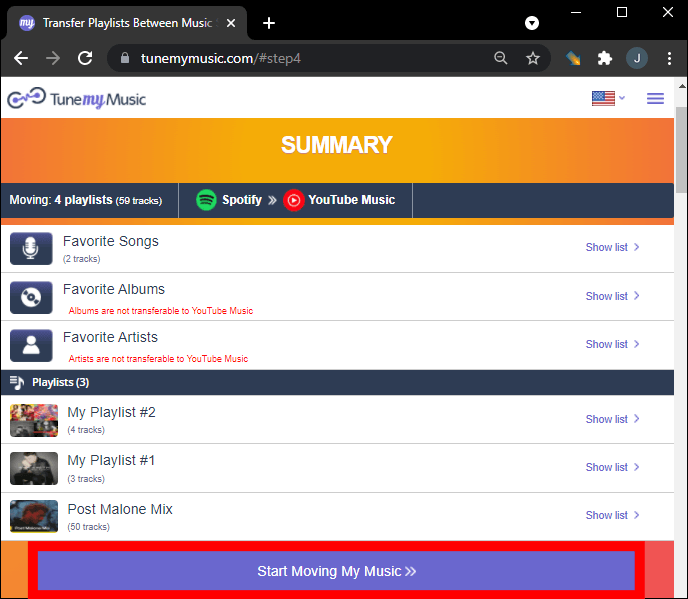
ステップ 6: Once the transfer is complete, open your Deezer library to confirm that the playlist has been successfully recreated.
Using this method, many users can quickly move playlists from Spotify to Deezer within a few minutes.
オンラインツールの限界
Although online tools are convenient, they may have some limitations:
- Free versions may limit the number of songs transferred
- Large playlists may take longer to process
- Song matching accuracy may vary
- Internet connectivity affects transfer speed
Because of these limitations, users with large music libraries often prefer a desktop solution to transfer playlists from Spotify to Deezer more reliably.
パート 2. 転送 Spotify Playlists to Deezer on Winダウズ/マック
For users who want greater stability and better playlist management, desktop software is often the most reliable option. One highly recommended solution is DumpMedia あらゆる音楽コンバータ, which includes a dedicated プレイリスト転送 特徴。
DumpMedia Any Music Converter is a powerful desktop application designed to help users manage and convert music across platforms. It supports both Windows and macOS and provides advanced tools for playlist migration. The software allows users to transfer playlists from Spotify to Deezer efficiently while preserving playlist structure and track information.
他社とのちがい
- The program includes a built-in playlist transfer function that helps move entire playlists between streaming platforms.
- Users can migrate multiple playlists simultaneously instead of transferring them one by one.
- Song titles, artists, album information, and playlist order are maintained during the migration process.
- Because the software runs locally on your computer, it is less affected by network interruptions compared to browser-based tools.
転送のステップバイステップガイド Spotify プレイリスト
ステップ 1: ダウンロードしてインストール DumpMedia あなたの音楽コンバーター WinWindowsまたはMacコンピュータ。インストール後、プログラムを起動してください。
ステップ 2: ツール > プレイリスト転送を選択します。 Spotify 情報源として。
ステップ 3: Select Deezer as a destination.
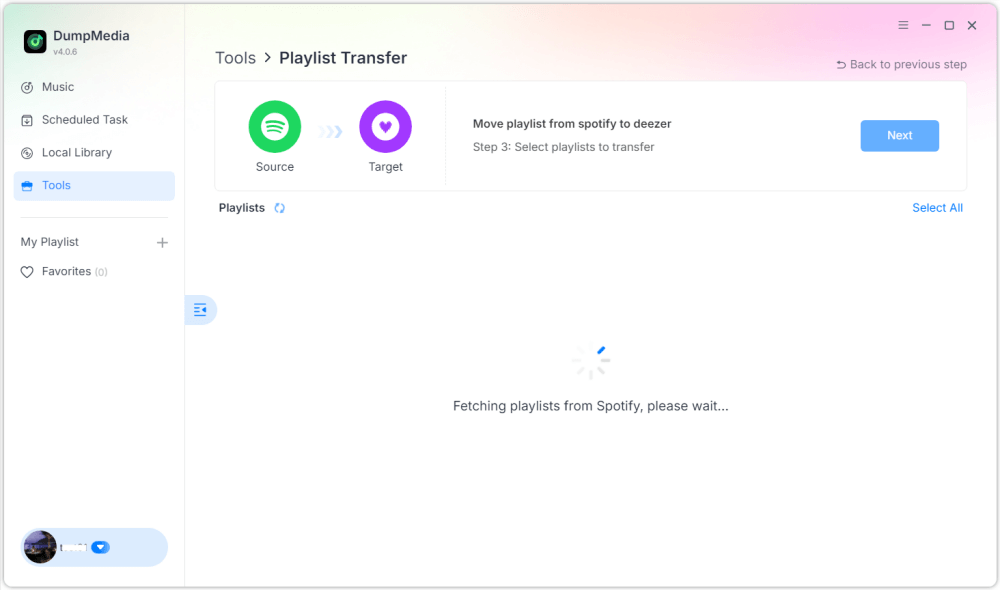
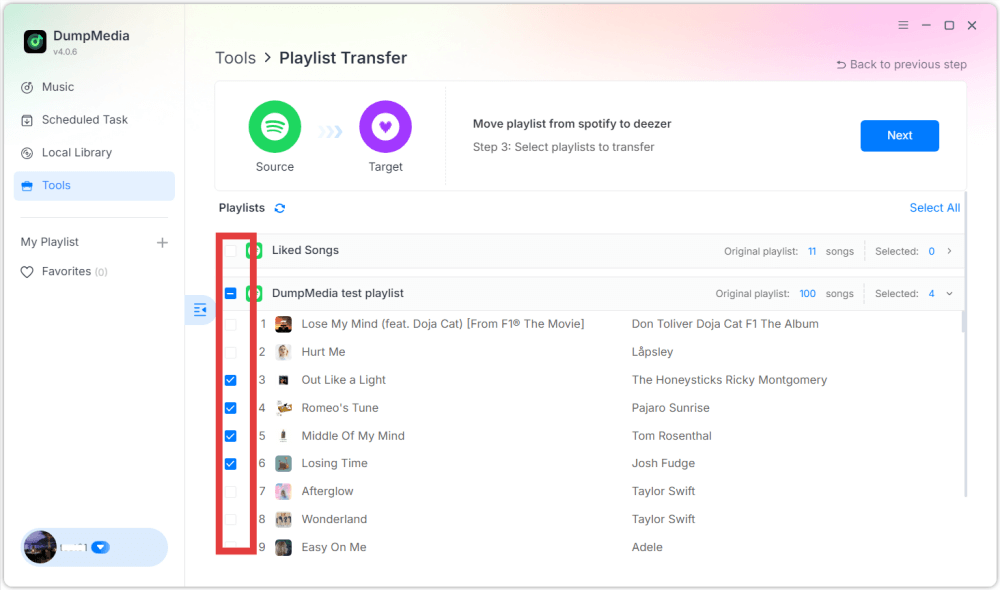
ステップ 4: 転送するものを選択してください。お気に入りの曲、アーティスト、アルバム、厳選したプレイリストをサポートしています。
ステップ 5: 転送を開始するには、「変換」をクリックします。
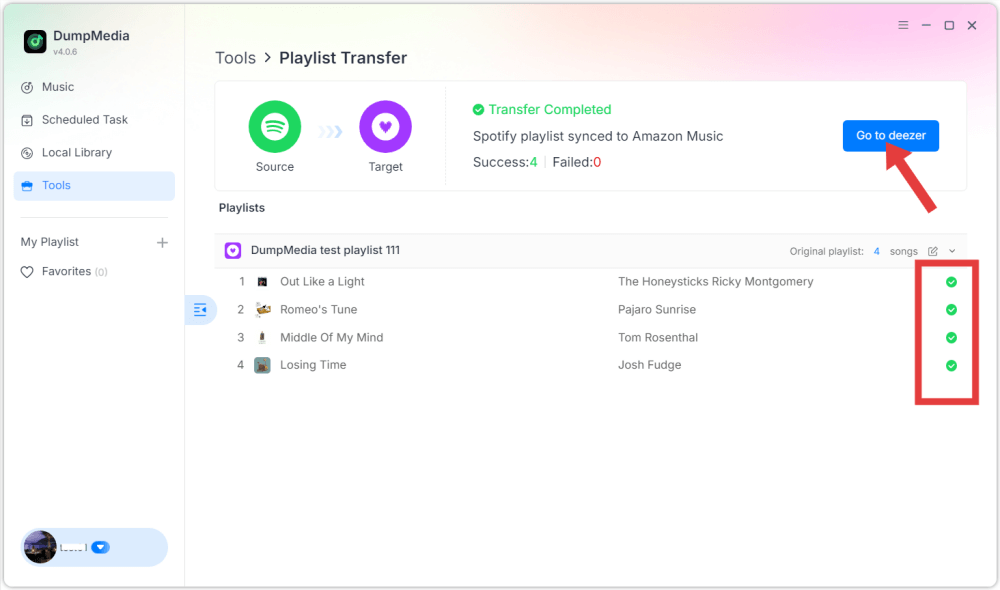
ステップ 6: The transfer is finished. Click "Go to Deezer". Your playlist should now appear with matched songs.
パート3。よくある質問
1. 転送できますか Spotify playlists to Deezer for free?
Some online tools provide free playlist transfers with limited features. However, these free versions may restrict the number of songs that can be transferred at once. Premium tools usually remove these restrictions and provide faster transfers.
2. Will all songs transfer successfully?
Most songs will transfer successfully because both platforms have large music catalogs. However, occasionally some tracks may not appear in the destination playlist if they are unavailable on Deezer.
3. プレイリストの転送にはどのくらい時間がかかりますか?
The transfer time depends on playlist size. Small playlists may take only a few minutes, while larger playlists containing hundreds of songs may take longer.
4. プレイリスト転送ツールの使用は安全ですか?
Reputable tools use secure authentication systems to connect to your streaming accounts. Always choose trusted applications and avoid unknown services when migrating playlists from Spotify Deezerに。
パート4:結論
Switching music streaming services no longer means losing your carefully organized playlists. With modern playlist migration tools, you can easily move your music library from Spotify to Deezer without rebuilding playlists manually. If you have a large music collection or want greater reliability, desktop software such as DumpMedia Any Music Converter offers a more stable and efficient solution.

めにサインアップ